I have various lights in my study:
- Banks of ceiling spotlights
- Under-shelf LED striplights
- Ceiling edge LED striplights
- Conference call spotlights
- Electronics bench under-shelf LED striplightsand spotlights
- Left desk LED striplights
I do have buttons on the shelf above the desk to control these, but lefting an arm is just effort I want to avoid 😄 I wanted to control them from my PC keyboard instead!
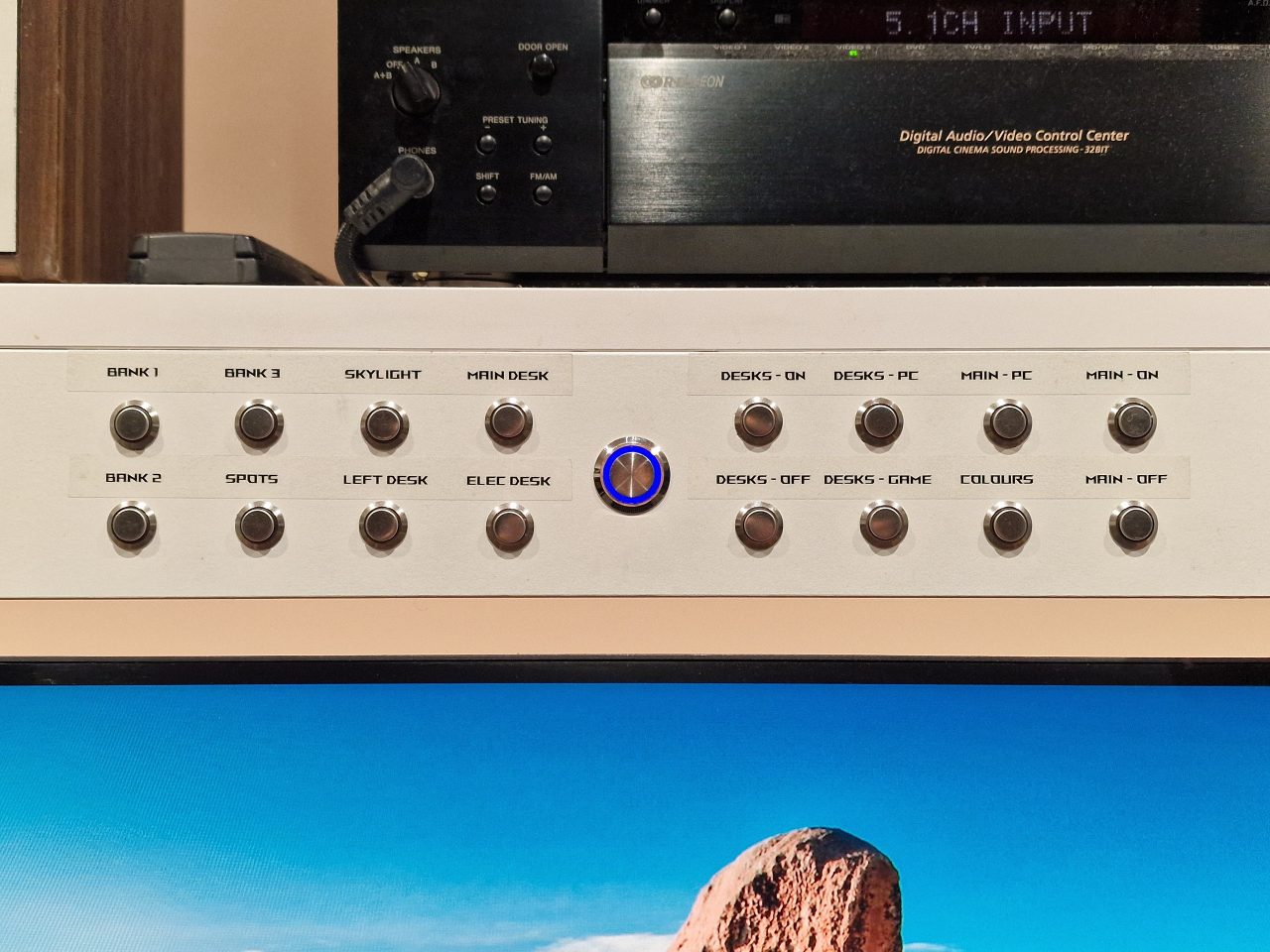
See the full Study & Electronics Lab panorama.
I use a scripting platform called AutoHotKey V2 to map keys and automate various PC tasks.
Here is an extract from my script showing the Home Assistant control. All I am doing here is activating predefined scenes, but this script shows how to use the Home Assistant API in AHK2. I have not included any error handling, but I have never had an issue – it just always works, assuming the Home Assistant server is running properly.
AHK2
; AltGr Hotkeys: Activate specific Home Assistant scenes for the study. Windows reports AltGr as Right Alt + Left Control pressed together.
#HotIf GetKeyState("RAlt", "P") && GetKeyState("LControl", "P")
    *s:: ActivateHAScene("study_spots_on")
    *o:: ActivateHAScene("main_study_lights")
    *p:: ActivateHAScene("desk_lights_pc")
    *g:: ActivateHAScene("desk_lights_game")
    *m:: ActivateHAScene("study_lights_bank_3_on_20")
    *d:: ActivateHAScene("study_desk_lights_pc_day")
    *e:: ActivateHAScene("study_electronics_desk_lights")
    *l:: ActivateHAScene("study_left_desk_lights")
#HotIf

; Hijack the Win+L lock PC shortcut, lock the workstation and then switch off the desk lights.
#l:: {
    DllCall("LockWorkStation")
    ActivateHAScene("desk_lights_all_off")
}

; LCtrl + LShift + RShift: Sleep and all study lights off
#HotIf GetKeyState("LCtrl", "P")
    LShift & RShift:: {
        ActivateHAScene("main_study_lights")
        DllCall("PowrProf\SetSuspendState", "int", 0, "int", 1, "int", 0)
    }
#Hotif

; Activate a HA Scene using the HA API
ActivateHAScene(sceneName) {
    HTTP := ComObject("WinHttp.WinHttpRequest.5.1")
    HTTP.Open("POST", "http://192.168.1.XXX:XXXX/api/services/scene/turn_on", false)
    HTTP.SetRequestHeader("Authorization", "Bearer XXXXXXXXXXXXXX")
    HTTP.SetRequestHeader("Content-Type", "application/json")
    HTTP.Send('{"entity_id": "scene.' sceneName '"}')
    while HTTP.Status = 0 {
        Sleep(100)
    }
}
Leave a Reply